Processings
QSunPotential plugin provides 3 processings :
PVGIS requestprocessing enables to assess the solar potential of a roof vector layer;CityJSON to roof layerprocessing aims at extracting roofs from a CityJSON data into a polygon vector layer containing all the required attributes for runningPVGIS Requestprocessing afterwards;LAS to API PVGISprocessing enables to assess the solar potential of roofs from a LiDAR pointcloud.
These processings an be opened using QSunPotential toolbar or from QGIS processings: menu Processing > Toolbox.
PVGIS Request processing
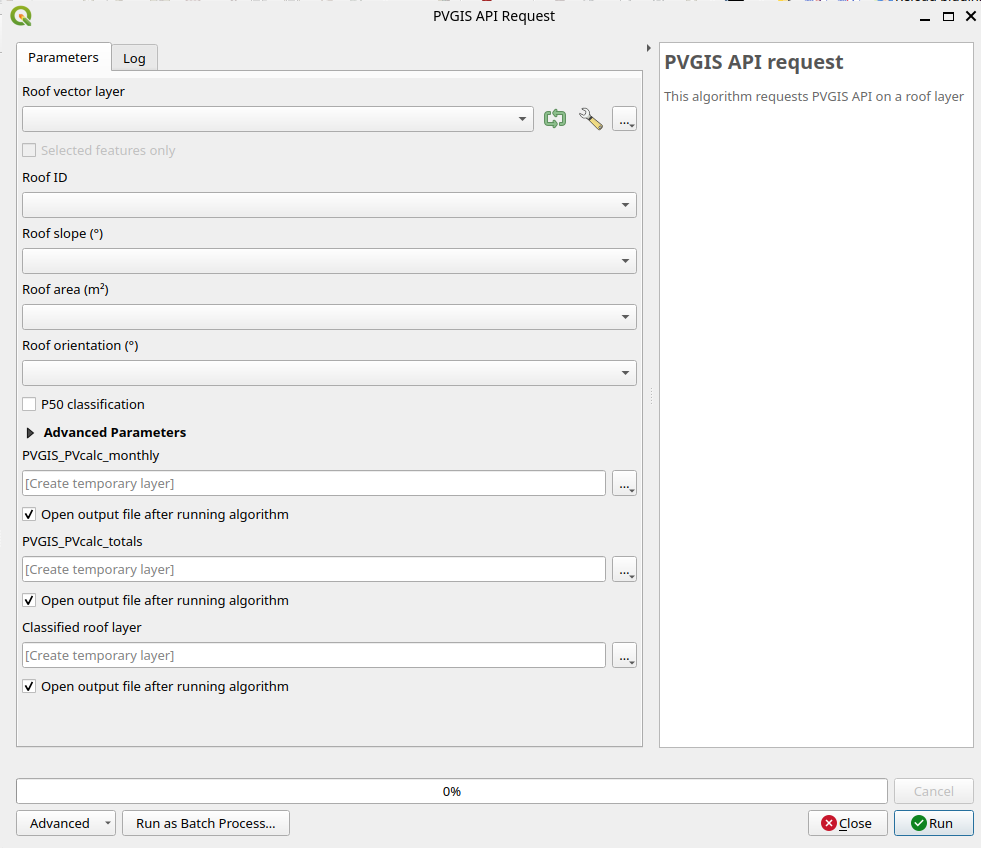
User interface
Input parameters
QSunPotential plugin inputs a roof vector layer that must contain the following fields:
Roof ID;
Roof slope, in degree;
Roof 3D area, i.e. the real surface of the roof, in square meters;
Roof orientation, in degrees, lying between 0 and 360° from North. The plugin will convert it into an orientation to the South, according to the standard used by PVGIS.
Operated processings
The following processing chain is applied to each roof of the input layer:
Check if the geometry is valid (otherwise the roof wil be ignored);
Choose a point inside the roof’s geometry;
Send a request to PVGIS API
Store results in tables
Building PVGIS request
PVGIS gives solar potential on a point on earth, taking into account the following parameters:
angle parameter
It corresponds to the roof’s slope in degrees. As the installation of solar panels on completely plane roofs always includes an inclination between 5 and 10°, it is possible to define a minimal tilt angle and a forced tilt angle in QSunPotential’s advanced parameters.
Important
The default minimal tilt angle is defined at 5° for roofs: the plugin will force a 10° inclination (by default) on roofs inclined below this 5° threshold.
peakpower parameter
The peakpower of a roof is defined by the following formula:
having:
\(S_{roof}\) the roof surface
\(T_{occupation}\) the roof occupation rate
\(coeff\) a multiplier
Important
By default, the plugin sets the following values:
\(T_{occupation}\) = 70%
\(coeff\) = 0.215 kW/m²
Theses values are editable in the UI advanced parameters.
aspect parameter
This parameter corresponds to the orientation (azimuth) of the photovoltaic system. This orientation takes a value between -180 and 180 degrees.
Important
As the roof azimuth is traditionnally expressed between 0 and 360 degrees, the plugin will systematically convert the roof azimuth by substracting 180° from its initial value.
loss parameter
The loss paramater corresponds to the photovoltaic system’s loss rate. It is set to 14% in each request and is not editable in QSunPotential plugin.
Output results
At the end of the processing, the plugin outputs 3 results:
a
PVGIS_PVcalc_totalstablea
PVGIS_PVCalc_monthlytablea classified roof layer
PVGIS_PVcalc_totals
This table contains the average annualized photovoltaic production.
Field name (alias[1]) |
Description |
Unit |
|---|---|---|
gml_surf_id |
Roof ID (join field with the roof layer) |
- |
e_d (E_d) |
average daily energy production |
kWh/day |
e_m (E_m) |
average monthly energy production |
kWh/month |
e_y (E_y) |
average annual energy production |
kW/year |
h_i_d (H(i)_d) |
average daily irradiation per square metre received by the modules |
kWh/m2/day |
h_i_m (H(i)_m) |
average montly irradiation per square metre received by the modules |
kWh/m2/month |
h_i_y (H(i)_y) |
average annual irradiation per square metre received by the modules |
kWh/m2/year |
sd_m (SD_m) |
standard deviation of monthly production due to year-on-year changes |
- |
sd_y (SD_y) |
Standard deviation of annual production due to year-on-year changes |
- |
l_aoi (l_aoi) |
angle of incidence loss |
% |
l_spec (l_spec) |
spectral loss |
% |
l_tg (l_tg) |
temperature and irradiation loss |
% |
l_total (l_total) |
total loss |
% |
p50 (p50) |
output report |
kWh/kW/an |
PVGIS_PVCalc_monthly
This table contains the average photovoltaic production for each month.
Nom du champ (alias) |
Description |
Unité |
|---|---|---|
gml_surf_id |
roof ID (join field with roof layer) |
- |
month |
month number |
- |
e_d (E_d) |
average daily energy production |
kWh/jour |
e_m (E_m) |
average monthly energy production |
kWh/mois |
h_i_d (H(i)_d) |
average daily irradiation per square metre received by the modules |
kWh/m2/day |
h_i_m (H(i)_m) |
average daily irradiation per square metre received by the modules |
kWh/m2/month |
sd_m (SD_m) |
standard deviation of monthly production due to year-on-year changes |
- |
Classified roof layer
The output classified roof layer contains the input selected roofs with annual results join (from PVGIS_PVcalc_totals table).
Classification according to e_y (defaults)
By default, the roof layer is classified according to the average annual energy production e_y.
The roofs are classified into the following classes:
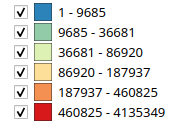
Classification according to the average annual energy production e_y
Classification according to P50
P50 is the output report. It is calculated using this formula:
The user may choose to classify the roofs according to P50. In this case, the roofs are classified into 7 classes:
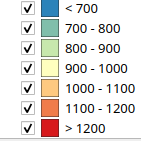
Classification according to P50
Compute performance
The computing time depends on PVGIS API, which imposes a rate limit of 30 calls/second per IP address.
A multithreading mecanism has been implemented to optimize requets to PVGIS API. The user can configure the number of parallel requests and the number of retry when rate limit is reached. These options are editable in Preferences... menu > Options > QSunPotential tab.
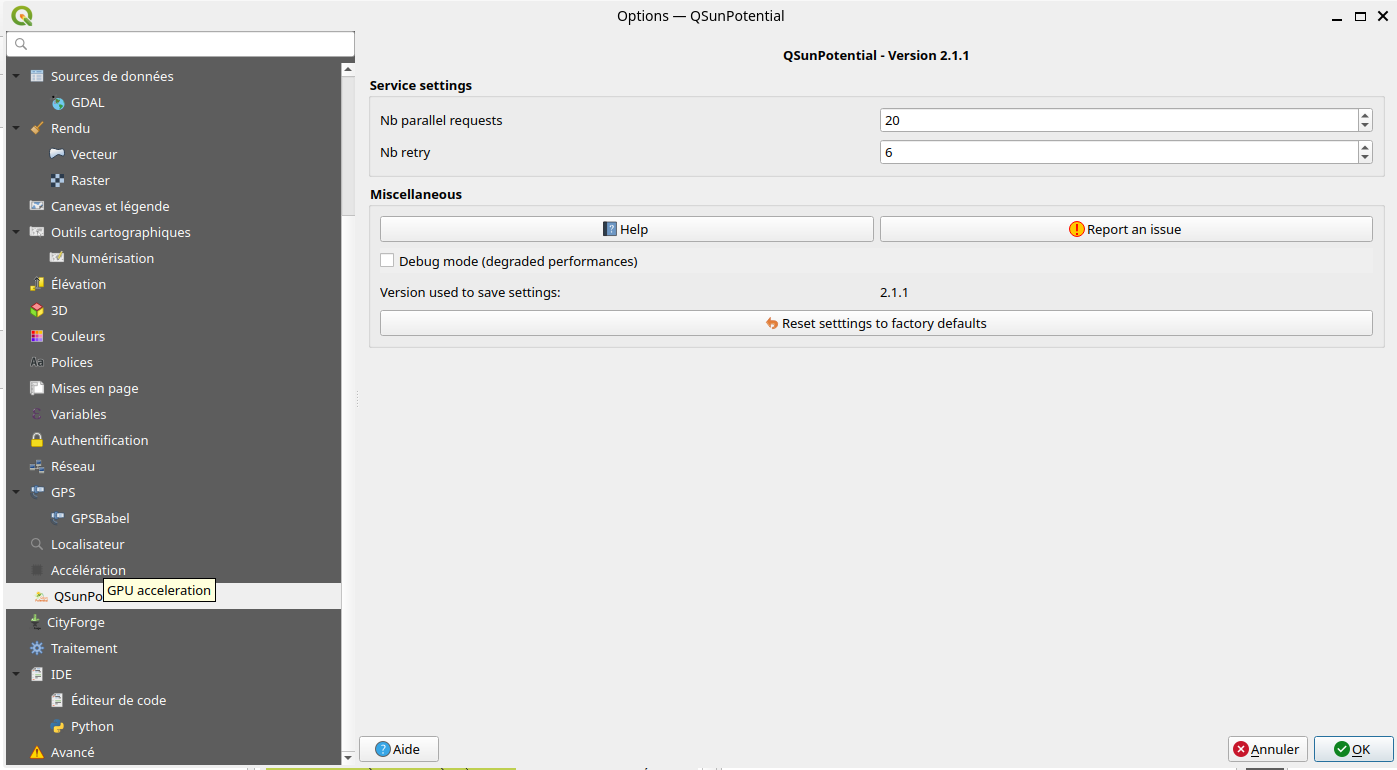
QSunPotential multithreading options

CityJSON to roof layer processing
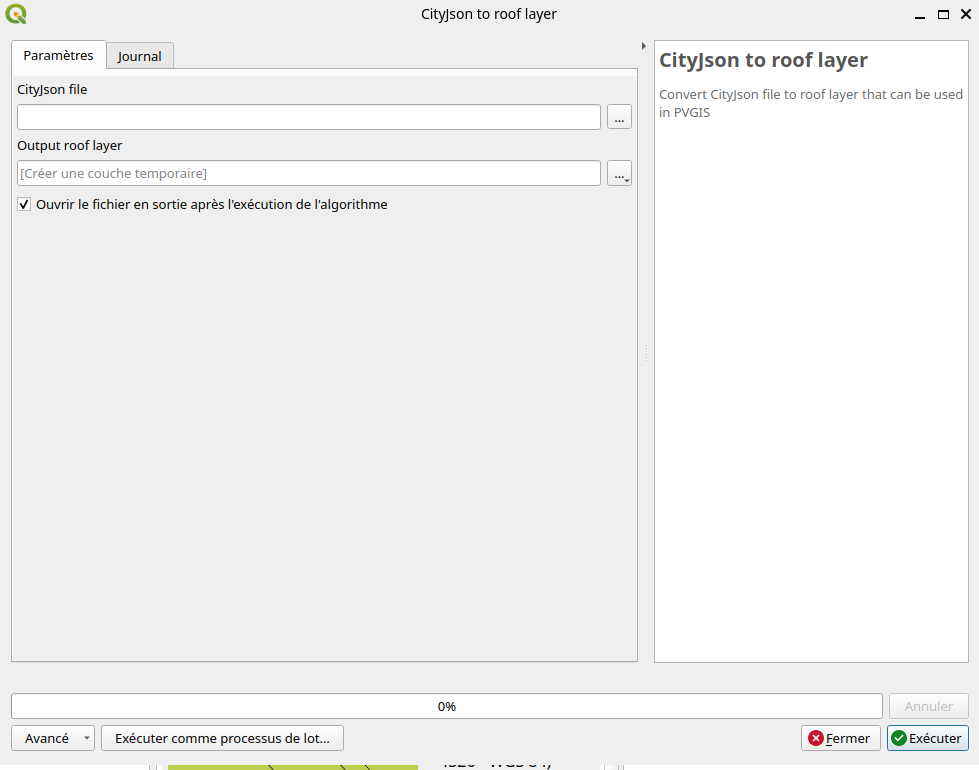
CityJSON to roof layer processing UI
This processing takes as input 3D buildings under CityJSON format, and extract only roofs from the buildings. Extracted roofs are output in a 2D vector layer that can be used as input in PVGIS Request processing. Thus this layer contains the following attributes:
Roof ID;
Roof slope, in degree;
Roof 3D area, i.e. the real surface of the roof, in square meters;
Roof orientation, in degrees, lying between 0 and 360° from North.
LAS to API PVGIS processing
This processing inputs a LiDAR pointcloud (copc.laz/copc.las format), a building foortprint layer and outputs a classified roof layer and PVGIS indicators.
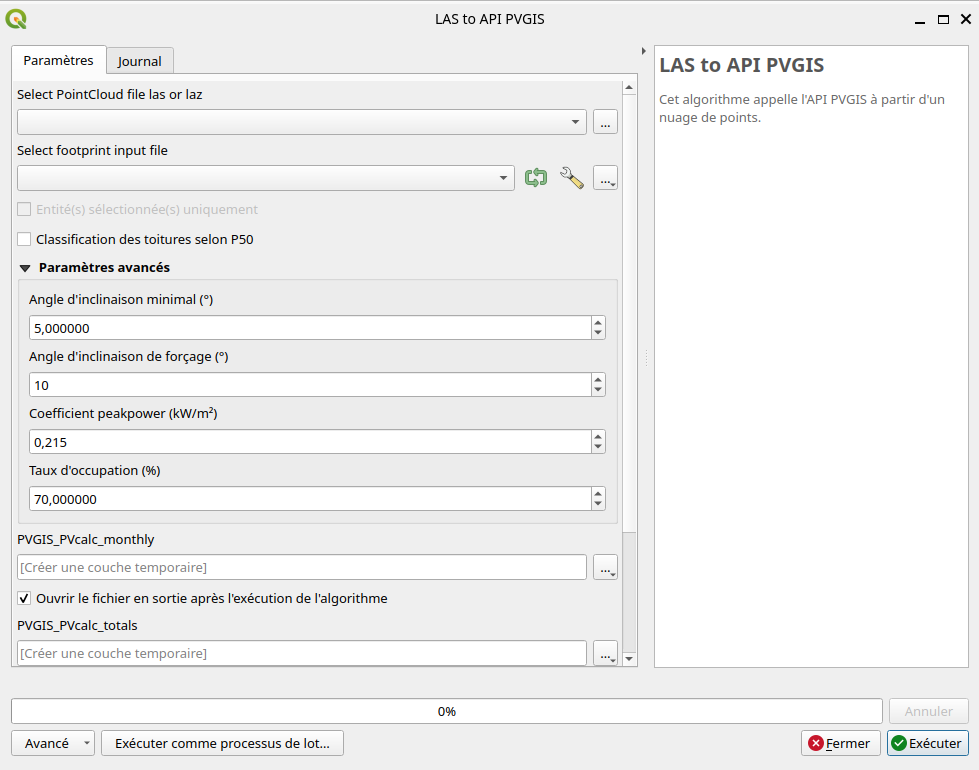
CityJSON to roof layer processing UI
Warning: the pointcloud should be loaded in QGIS project and then selected in the processing interface. Choosing a file from the file explorer may lead to errors during the processing execution.
Processing chain
LAS to PVGIS processsing requires the installation of CityForge, which is a QGIS plugin that modelize 3D buildings from a LiDAR pointcloud.
The steps of this processing are as followed:
Reconstructing buildings from a pointcloud into a CityJSON format, using CityForge processing;
Running
CityJSON to roof layerprocessing to extract roofs;Running
PVGIS Requestprocessing to retrieve PV indicators and classify roof.
Reconstructing 3D buildings with Roofer
CityForge plugin generates 3D building models by choosing between 2 possible tools: Geoflow ou Roofer. In both cases, these tools output 3D buildings in LoD 2.2. However, Roofer computes 3D slope and orientation of the roofs, contrarily to Geoflow. These results are required to request PVGIS.
Thus, it is important to configure Cityforge plugin with Roofer for 3D buildings and roofs modeling.